> ## Documentation Index
> Fetch the complete documentation index at: https://primev-24-evan-kim2028-patch-1.mintlify.site/llms.txt
> Use this file to discover all available pages before exploring further.
# Validator Guide
> Opt into mev-commit with ease. This guide covers everything you need to do to passively interact with the mev-commit protocol as a validator.
## Opting-in as a Validator
Participation of L1 validators in the mev-commit protocol is crucial as it enhances the integrity of commitments and ensures their enforcement. This document details the steps required to join the mev-commit testnet as a Holesky validator. Future updates will introduce a restaking feature via Eigenlayer.
**Prerequisites:**
1. An operational Holesky validator node.
2. An operational mev-boost sidecar or equivalent.
3. Associated validator key(s).
As a Holesky validator opting into the mev-commit protocol, ensure your mev-boost client connects only to mev-commit relays to avoid slashing for proposing blocks without delivering commitments.
### Requirements
By opting-in to the mev-commit protocol as a Holesky validator, you agree to the following:
* Your mev-boost client should ONLY connect to mev-commit opted in relays to avoid being slashed by proposing a block that doesn't deliver commitments. The Titan Holesky relay is the only supporting relay at this time as shown in the list below. This list will be updated as more relays support the network.
**Supporting Relays:**
If you are a relay looking to join the mev-commit network please visit our [Relays page](/get-started/relays) to get more information.
Proposers who fallback to local block production, from either a fault in the mev-boost software or a lack of economically viable block bids, **will not be slashed**. See [flashbots docs](https://docs.flashbots.net/flashbots-mev-boost/architecture-overview/risks#liveness-and-local-fallback) for more on this scenario. The protocol may in the future slash for abuse of this local fallback mechanism.
0.0001 ETH must be staked with the registry contract on Holesky for each validator pubkey. Below are a few options for obtaining this testnet ETH:
* [Holesky PoW Faucet](https://holesky-faucet.pk910.de/)
* [Quicknode Faucet](https://faucet.quicknode.com/ethereum/holesky)
* [Automata Faucet](https://www.holeskyfaucet.io/)
## Staking Your Validator Keys
* Navigate to mev-commit [Validator Dashboard](https://validators.mev-commit.xyz/).
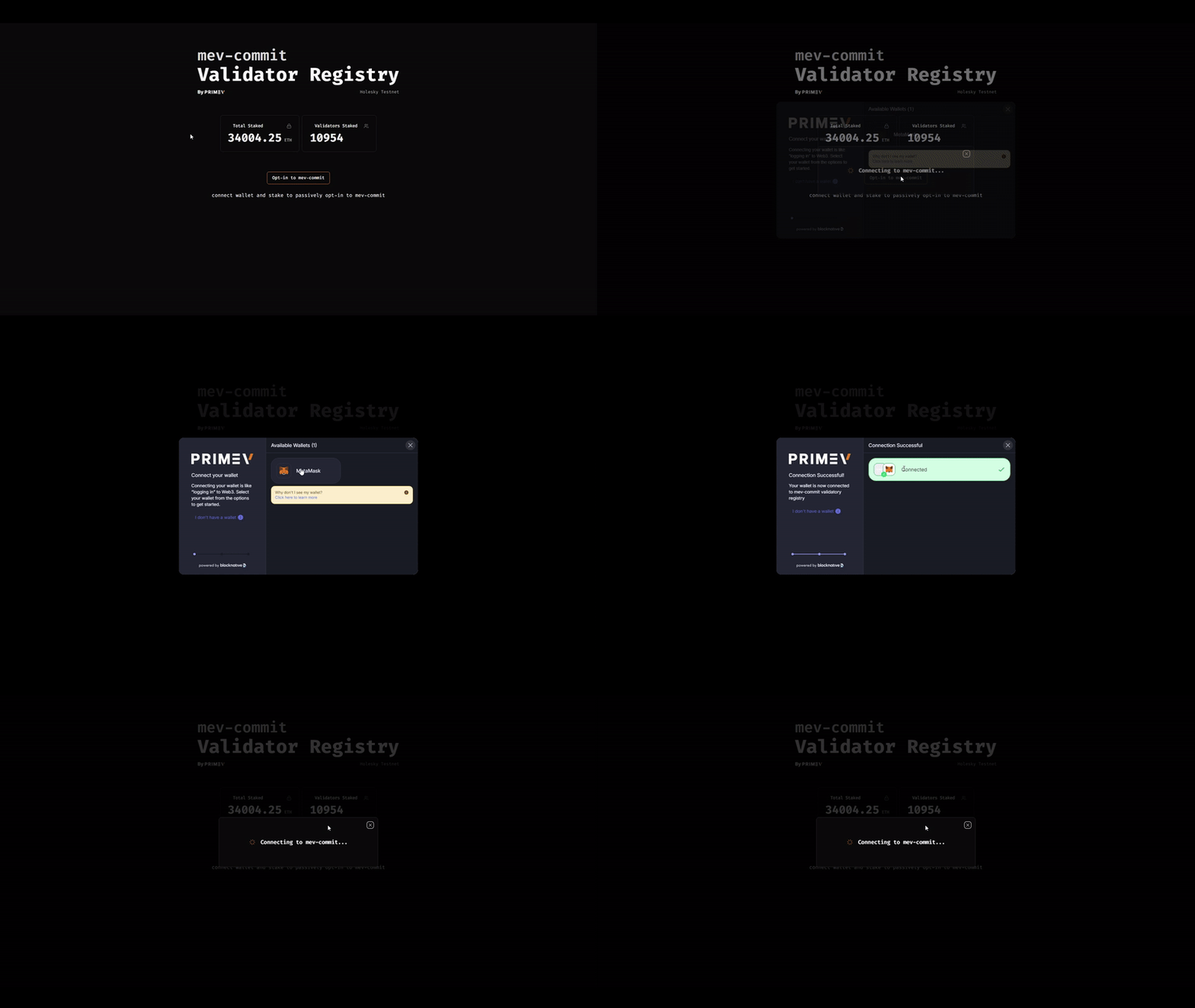
* Press the "Opt-in to mev-commit" button to connect your wallet.
* Ensure that you have at least 0.0001 ETH on Holesky per validator pubkey to stake.
* If you don't have sufficient ETH, see options from above.
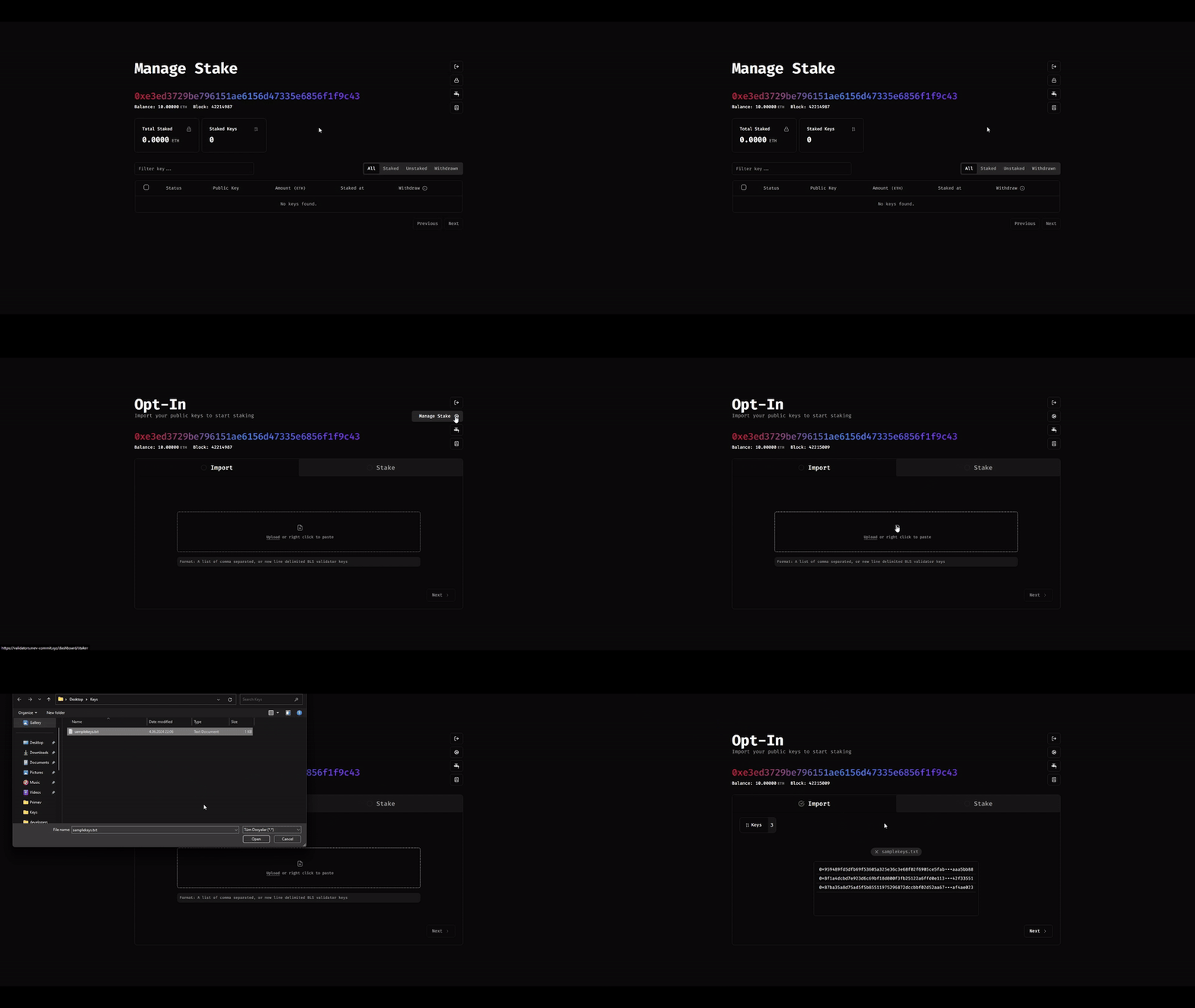
* Click the Stake(lock icon) button on the top right of the dashboard to initiate staking.
* You can either upload a .txt file containing your keys separated by commas or line breaks, or you can copy and right-click paste the keys directly into the field provided.
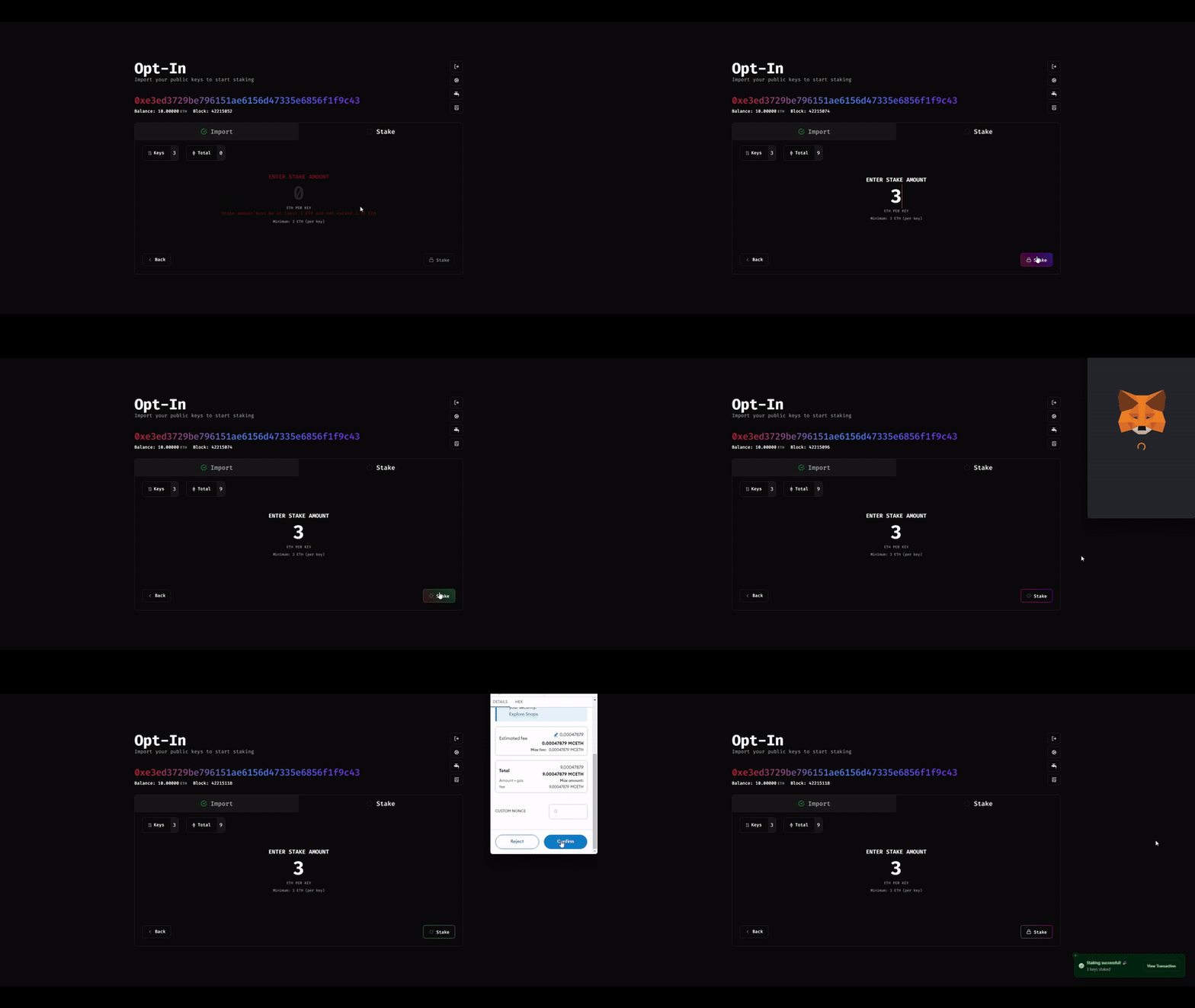
* Enter the amount of ETH you wish to stake for each key.
* Press "Stake" and confirm the transaction on your wallet to finalize the staking of your keys.
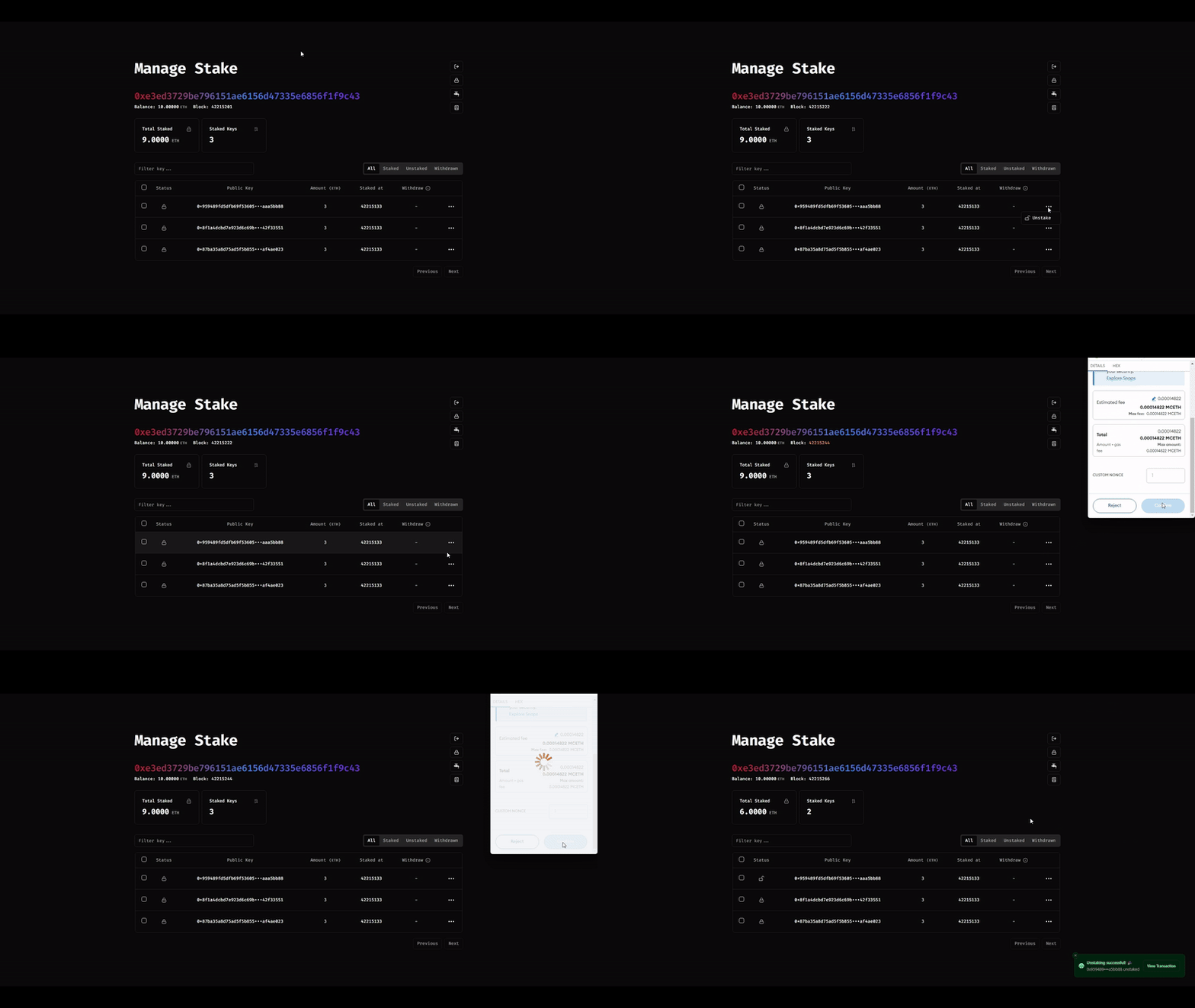
* After staking, you can view your staked keys by clicking on "Manage Stake".
* To unstake your keys, you can multi-select the keys or use the meatball(3-dots) menu to unstake them.
* After unstaking, you will need to wait a 96 block of unstaking period before you can withdraw your ETH. The required waiting period will be displayed for each key on the "Withdraw" column.
If you want to stake your keys manually, please visit [Stake Validators Keys Manually](/developers/stake-validator-keys-manually) section.